

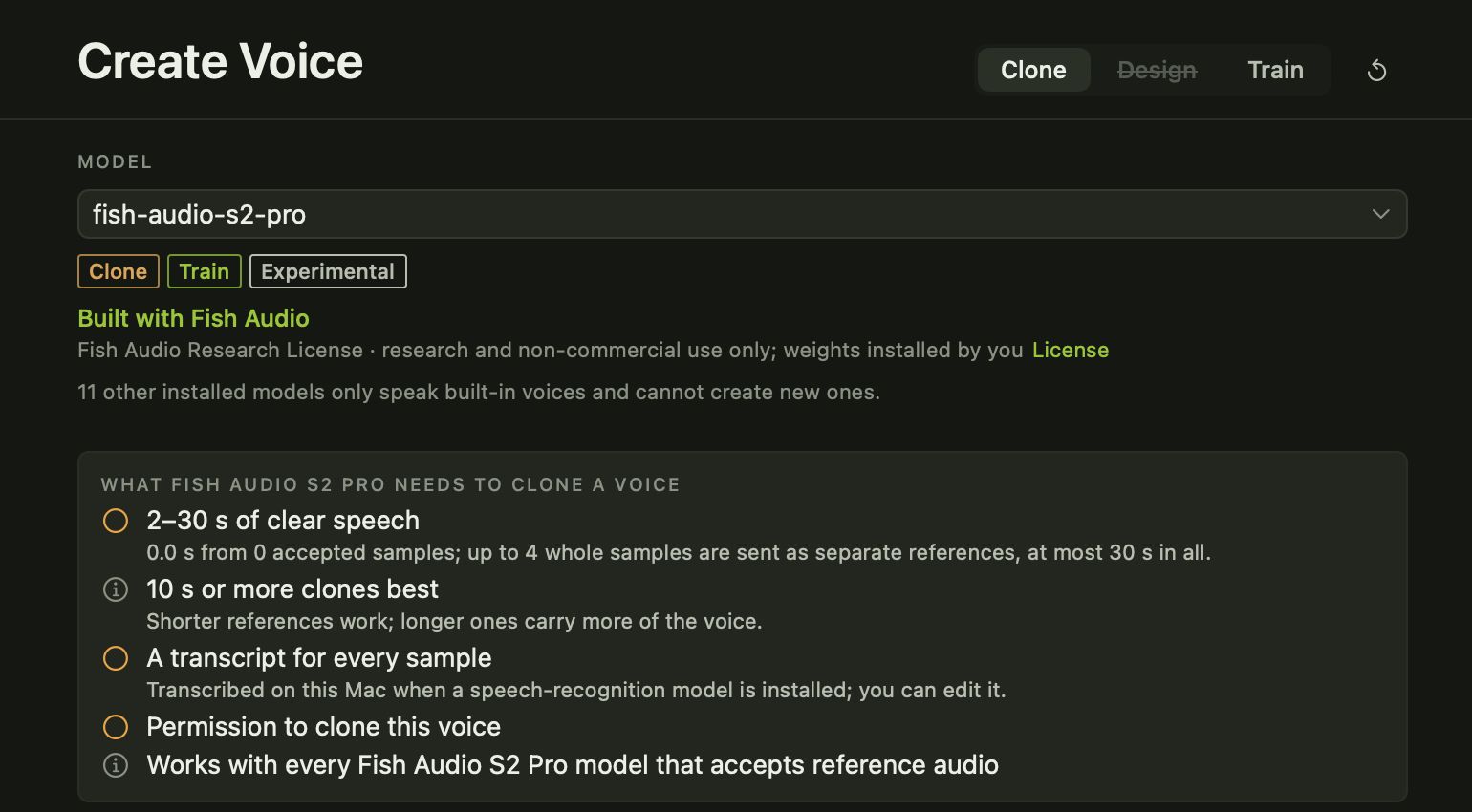
Voice cloning makes a new voice from a recording of a real one. In Avocado it is a short, guided step: pick the model you want the voice for, add your recordings, confirm you have permission, and save.
Record or import
Record straight into Avocado with a level meter that shows you’re coming through clearly, or import clips you already have, such as WAV, AIFF, M4A or MP3 files. Your original files are left untouched.
Many models also want to know what was said in each clip. If you have a speech-recognition model installed, Avocado can fill that in for you, and you can correct it.
Permission comes first
Before Avocado makes a clone, you tick I have permission to clone this voice. Clone your own voice, or the voice of someone who has said yes. Avocado won’t make the clone without it.
A voice you can reuse
Once saved, the voice sits in your Voice Library with your other voices. Pick it on the Generate page like any other voice, tag it, and use it with any model that can speak from those clips. Takes you make with it inherit the voice’s tags, so they’re easy to find later.
Want an even closer match?
Cloning captures a voice from a short sample. If you have more of your own speech, from a minute up to half an hour, you can train a voice from your recordings instead, so the model learns how you speak as well as how you sound.