

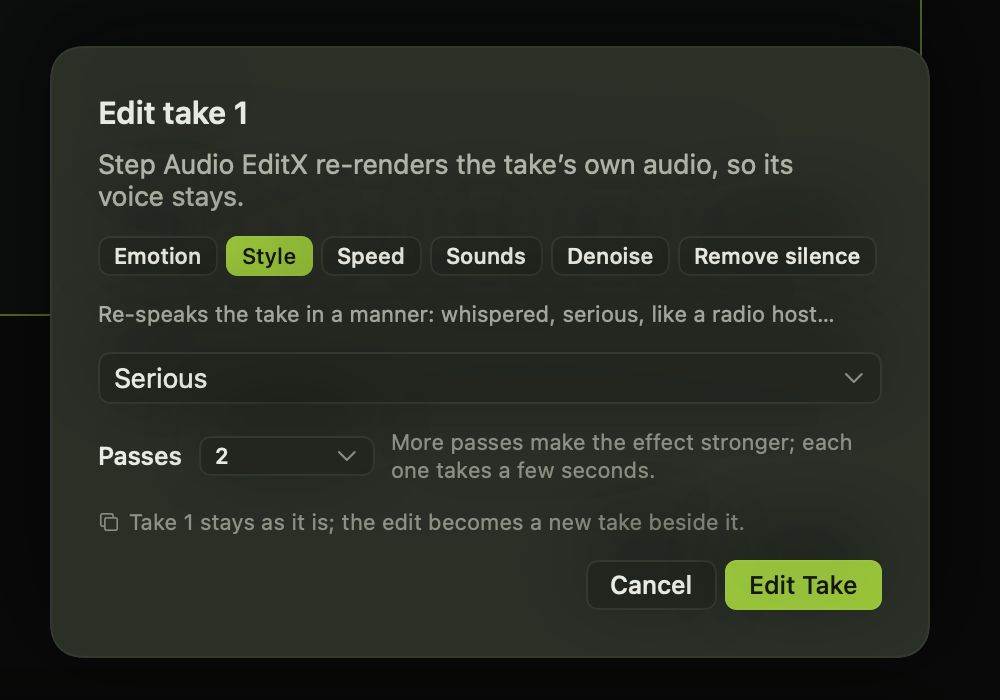
Re-generating a take to fix its tone can change everything else too. Editing keeps the voice and the words, and changes only what you ask for.
What you can change
- Emotion: happier, sadder, angrier and more.
- Style: whispered, serious, like a radio host, and others.
- Pace: a little faster or much slower.
- Sounds: add laughter, breathing, a sigh or an “uhm” exactly where you want it in the line.
- Denoise and Remove silence to clean a take up.
How it works
Press the wand on a take, or choose Edit Take from its menu. Pick what to change and how many passes to run, then press Edit Take. The edit plays as it’s made and is saved as a new take beside the original, labelled with what changed, for example “Edited from take 1 · Whisper ×2”.
Direct it from the start
Several models take direction before the take is made too. Breeze TTS 2 accepts a written direction like “warm and unhurried”, and models such as Higgs Audio v3, OpenAudio S1 Mini, Fish Audio S2 Pro and Orpheus understand emotion and sound tags in the script itself.