

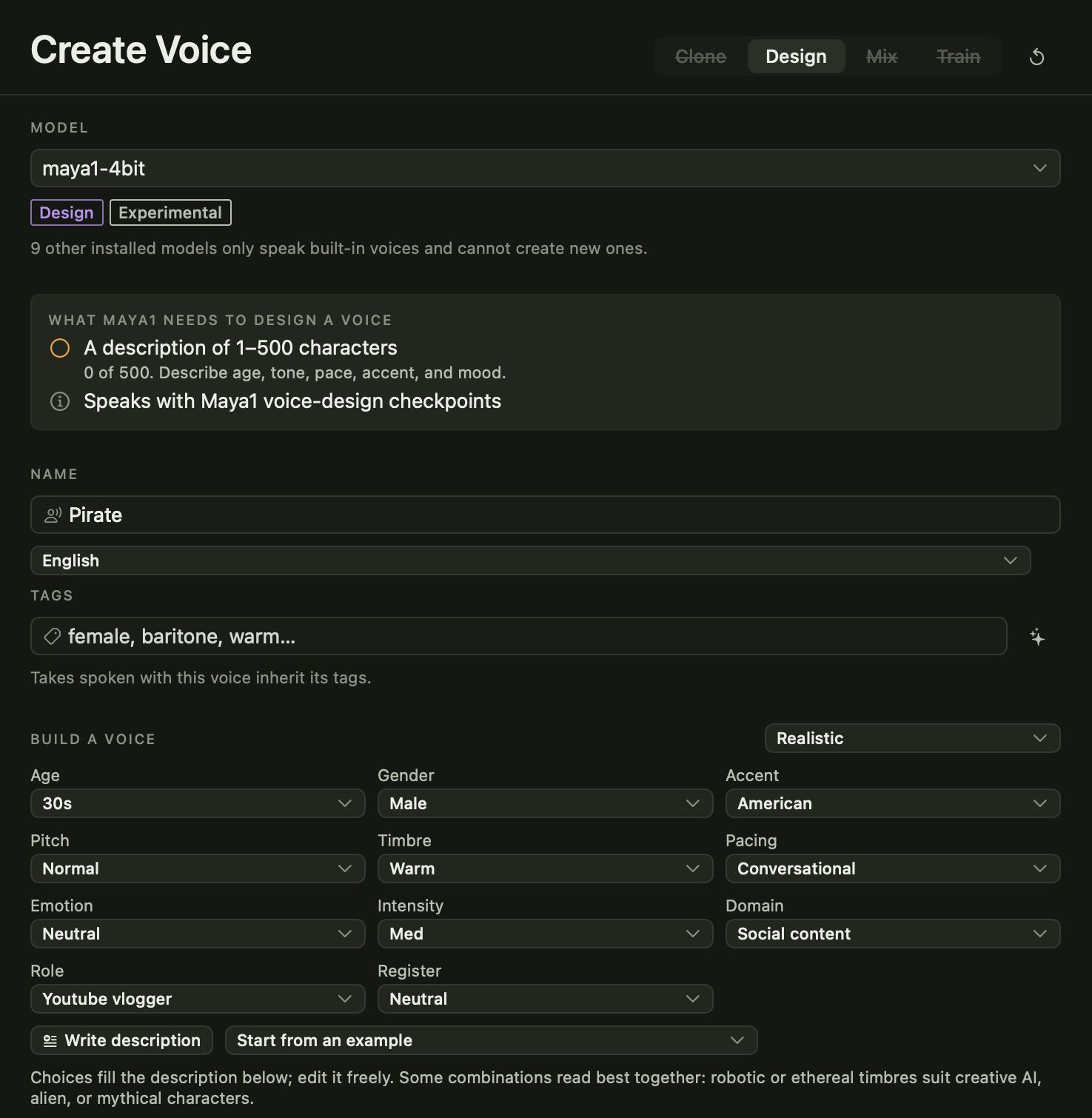
Sometimes you don’t have a voice to clone, you just know what you want to hear. Voice design turns a written description into a voice.
Build it or write it
With Maya1, Avocado gives you a voice builder: pick an age, gender, accent, pitch, timbre, pacing, emotion and intensity, or set up a character for something more playful. Your choices fill in a description that you can rewrite however you like. Start from one of the examples if you’d rather not begin from a blank page.
With Qwen3-TTS Voice Design and VoxCPM 2, you write the description in your own words.
Audition before you save
Press Audition to hear a line in the unsaved voice. Adjust the description, listen again, and save when it’s right. The voice then sits in your Voice Library, ready to pick on the Generate page.
Direction for every take
Breeze TTS 2 works a little differently: you pick one of its preset speakers and add a direction, such as “warm and unhurried” or “excited, a bit faster”. You can change the direction for each take without making a new voice.
Mix instead
If you’d rather start from voices you already like, Kokoro lets you blend two to four of its built-in voices by weight to make something in between.